 Agent Maestro
Current activity
Track running work and plans needing attention. Open the active task directly from Home.
YOUR AGENTS. ONE CONTROL ROOM.
Turn a task plan into a controlled delivery workflow. Run your chosen agent, check the result, review the changes, and see exactly where the work stands.
Local orchestration · Explicit providers · Visible checks
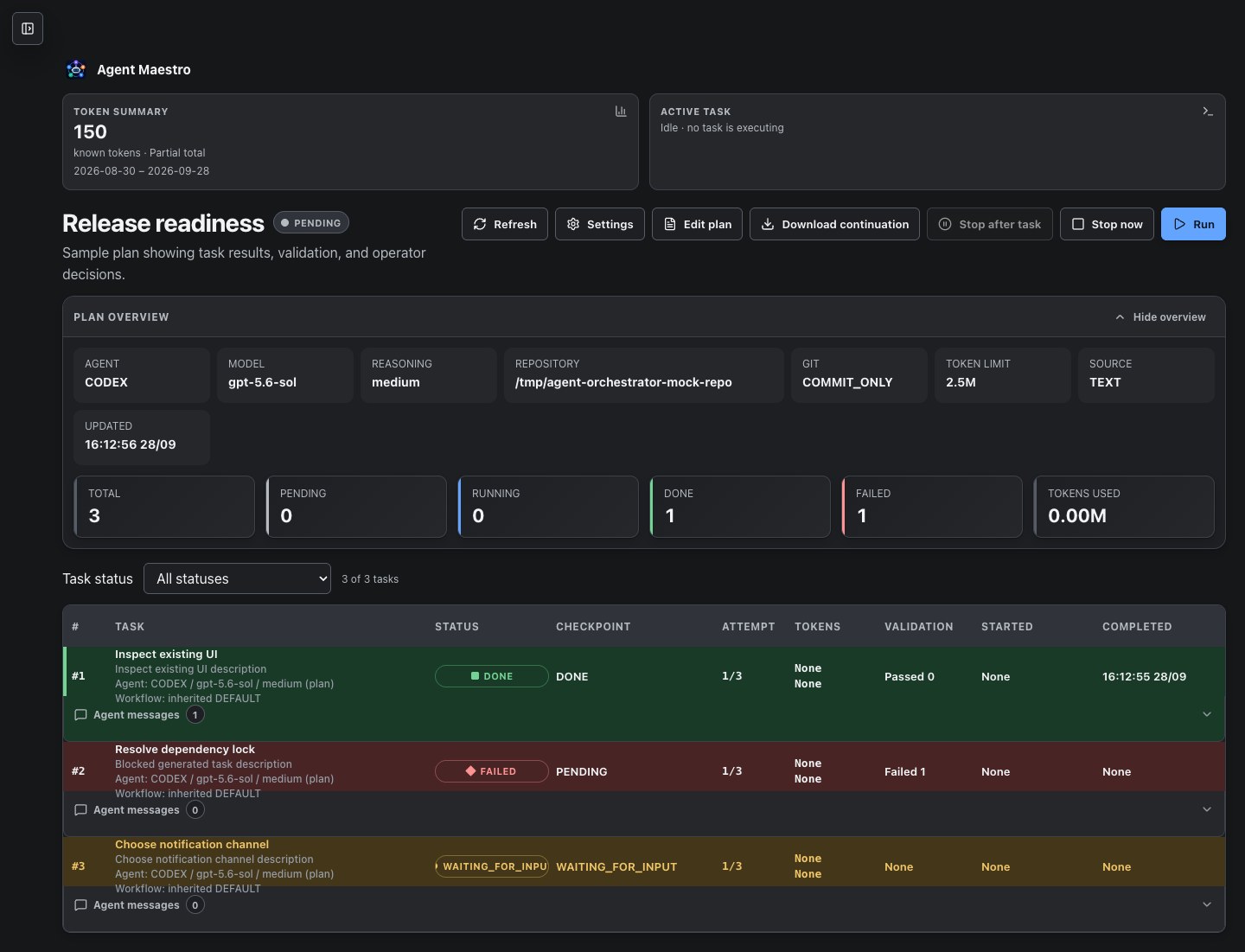
01 / A CLOSER LOOK
From current activity to the final report, inspect the actual interface. Every screen below uses the application's built-in sample API.
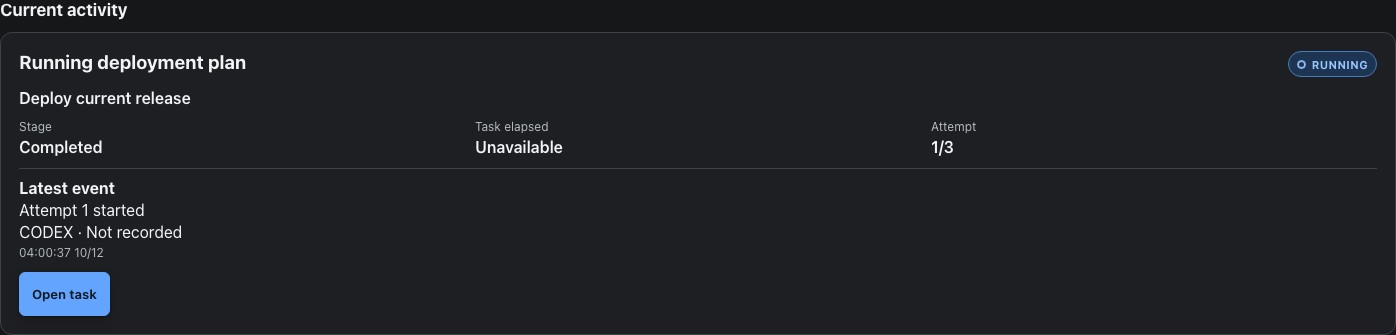
Home shows running plans and recent failed or stopped plans, with the current task, execution stage, attempt limit, and latest saved event.
View full screen ↗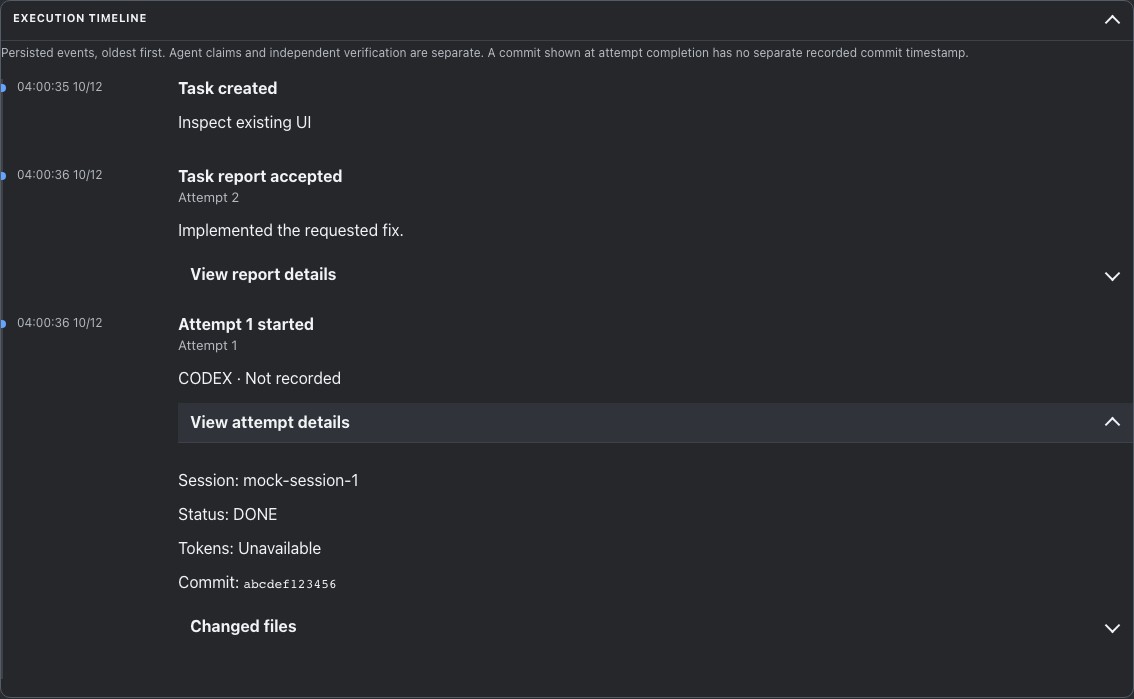
Expand a chronological history of attempts, provider turns, accepted reports, validation, reviews, and Git push results. Load event details when you need them.
View full screen ↗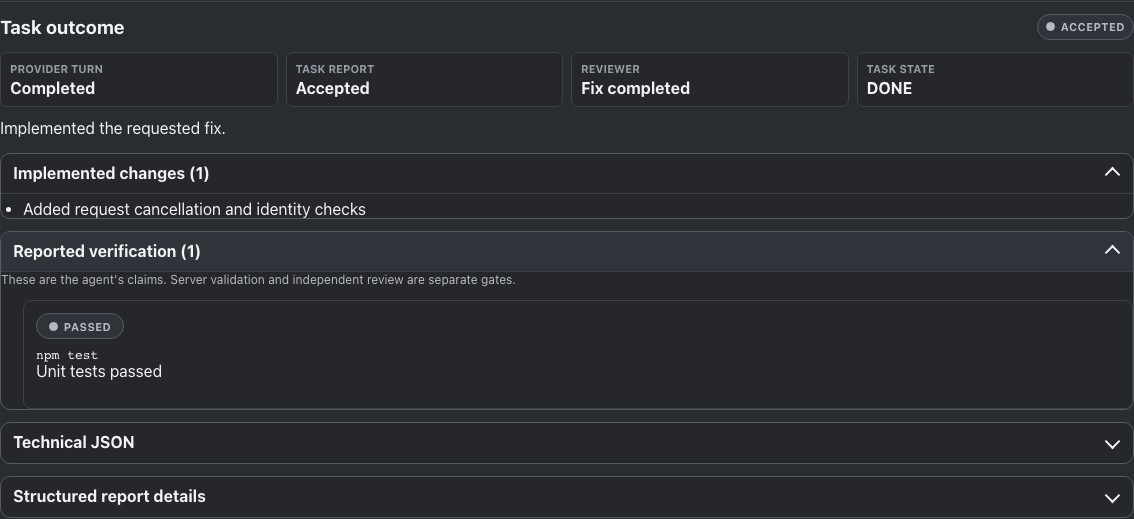
Inspect summaries, change lists, verification cards, and fix claims. Technical JSON remains available in expandable details; a provider report is separate from task approval.
View full screen ↗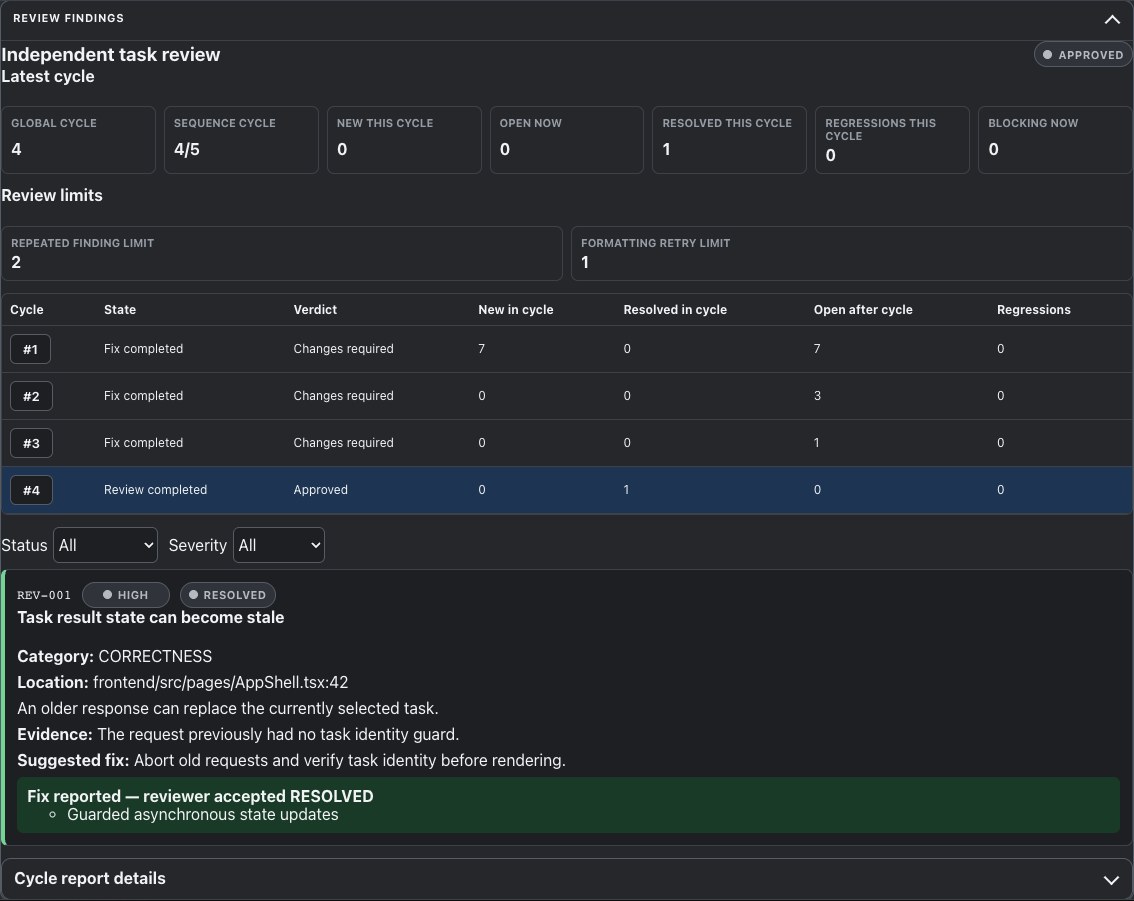
Review cycles retain verdicts and finding history. Bounded remediation returns to the implementation session; reported fixes await reviewer confirmation.
View full screen ↗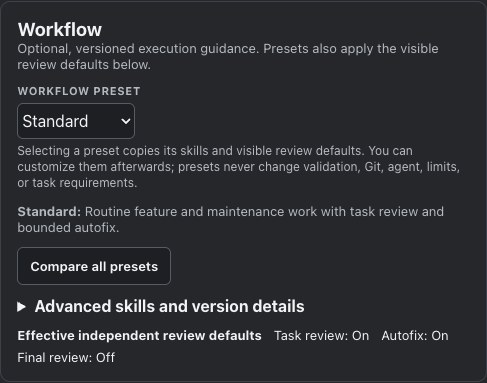
Choose a versioned preset and inspect its review defaults. Provider, validation commands, Git mode, attempts, and token budgets remain explicit controls.
View full screen ↗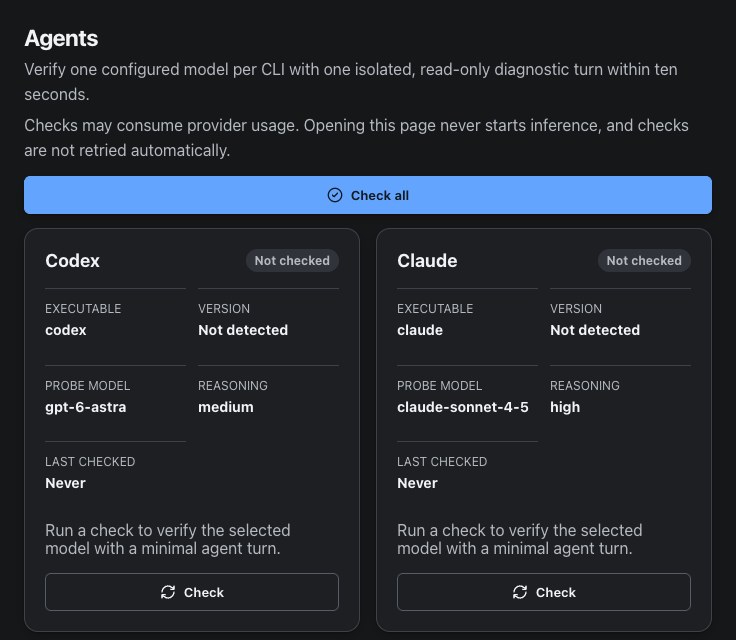
Inspect configured provider identities and models. Availability diagnostics are explicit checks; opening the Agents page does not run them.
View full screen ↗Fresh captures of the current React application · Dark appearance · Demonstration data, no live provider execution
02 / THE DELIVERY PATH
Each task starts a new provider session. Fixes stay in that task's implementation session, with checks and optional review before moving on.
Define ordered tasks, the repository, provider, and execution limits.
The selected coding agent works in a dedicated task session.
Run configured checks and return failures for correction.
Optional independent read-only review and bounded remediation.
Apply your Git mode, mark the task done, and continue the plan.
When review requests changes, the task returns for a fix, validation, and another review within configured limits. Optional final review and validation cover the completed plan.
03 / BUILT FOR SUSTAINED WORK
Keep execution, evidence, and delivery state together as your agents work through a plan.
Track running work and plans needing attention. Open the active task directly from Home.
Inspect saved execution evidence after a restart, with expandable event details and paged history.
See structured changes, verification, review findings, and fix claims alongside their task state.
Start with Fast, Standard, Strict TDD, Debug, Autonomous, or an explicit custom skill selection.
Choose no Git action, commit-only, or non-force commit-and-push after successful gates.
Inspect recorded token usage and coverage. Set attempt limits and plan token budgets.
Light, Dark, and System appearance. Responsive activity cards and task details for desktop and mobile.
04 / EXPLICIT PROVIDER CHOICE
Choose implementation and reviewer providers separately where their roles are supported. Agent Maestro never silently switches providers.
Implement + review
Implement + review
Implement + review
Implement + review
Implementation only
Use compatible installed and authenticated CLIs with your own account and model access. Antigravity cannot enforce the required read-only reviewer boundary.
A Java 21 / Spring Boot application, React interface, and local SQLite persistence. Plans, settings, review history, Git results, and recorded usage stay connected.
Selected provider CLIs may send prompts, code context, or files to external services according to their own configuration. Resume requirements vary by provider.
05 / WATCH THE WORKFLOW
Agent Maestro orchestrates installed provider CLIs. You supply compatible installations, authentication, subscriptions, model access, and credits.
Yes. Implementation and independent read-only review can use different providers that support the selected roles. Antigravity supports implementation only.
Validation feedback and review findings can return to the existing implementation session for a bounded fix. The result goes through configured validation and review again.
A provider report, validation, reviewer approval, and task completion are separate states. Rendering structured output does not approve a task. A reported fix awaits reviewer confirmation, and passing gates does not guarantee correctness.
Persisted task evidence remains available through the execution timeline. The timeline reconstructs recorded events; it is not a log of every transient checkpoint. Provider-session resume has provider-specific prerequisites.
Yes. Agent Maestro runs against your selected repository and keeps orchestration state in local SQLite. Provider CLIs communicate with their external services under their own settings.
MAKE THE NEXT TASK A CLEAR ONE